
We made a small change to the top of every solver page. It is not a new feature, just a tidier layout, so the board gets your attention first.
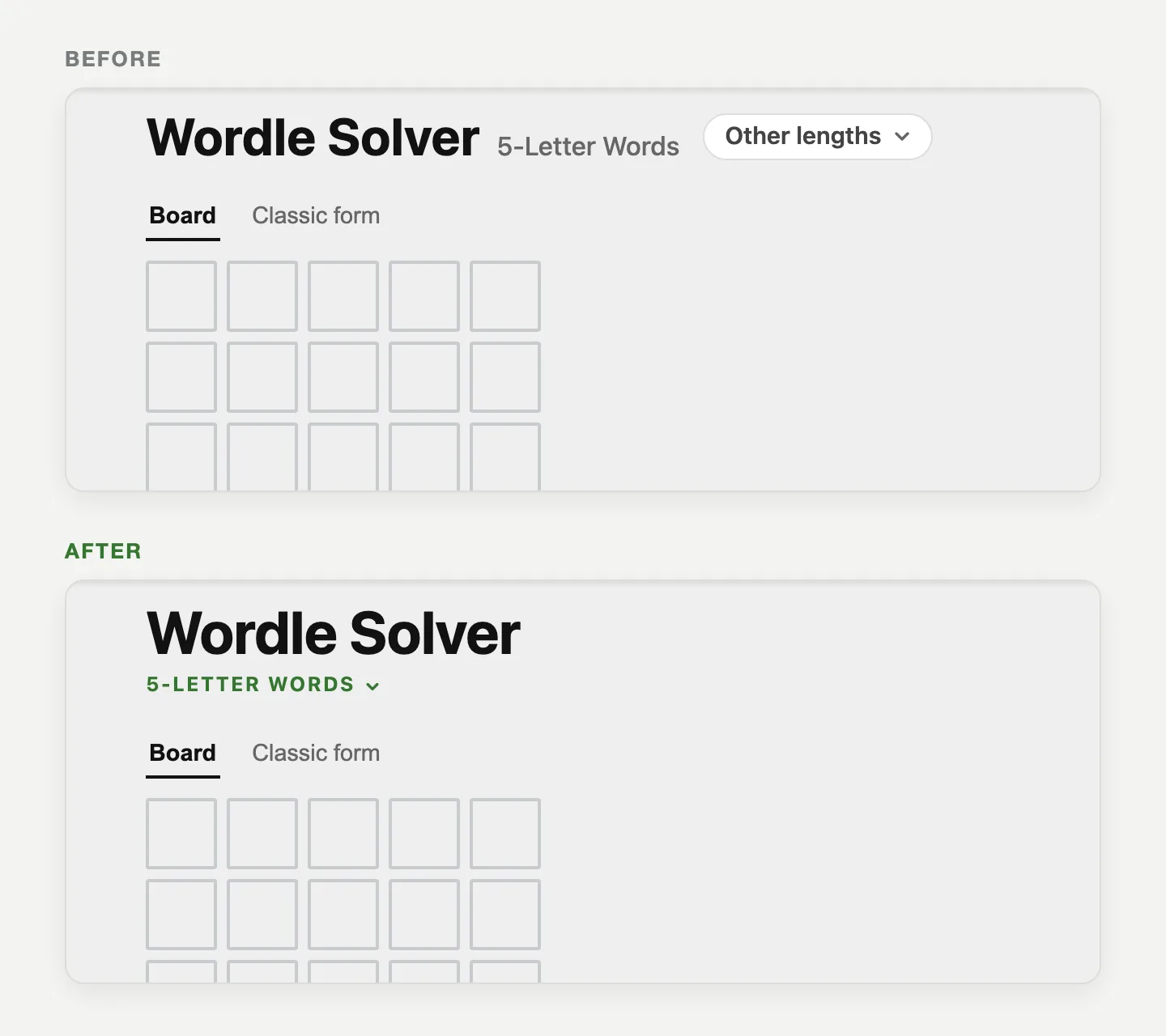
There are two changes: how the title shows the word length, and how the page lines up on tablets and narrow windows.
The word length now sits under the title
Since September, you could switch word lengths from a small menu beside the title. On phones that menu was a round button, and on computers it was a pill that said "Other lengths". Both stood out more than they should have. On a phone, the round button looked like the main thing to tap, even though you only need it to switch lengths.
Now the length is a small green label under the title, like 5-LETTER WORDS. Tap it to pick another length.
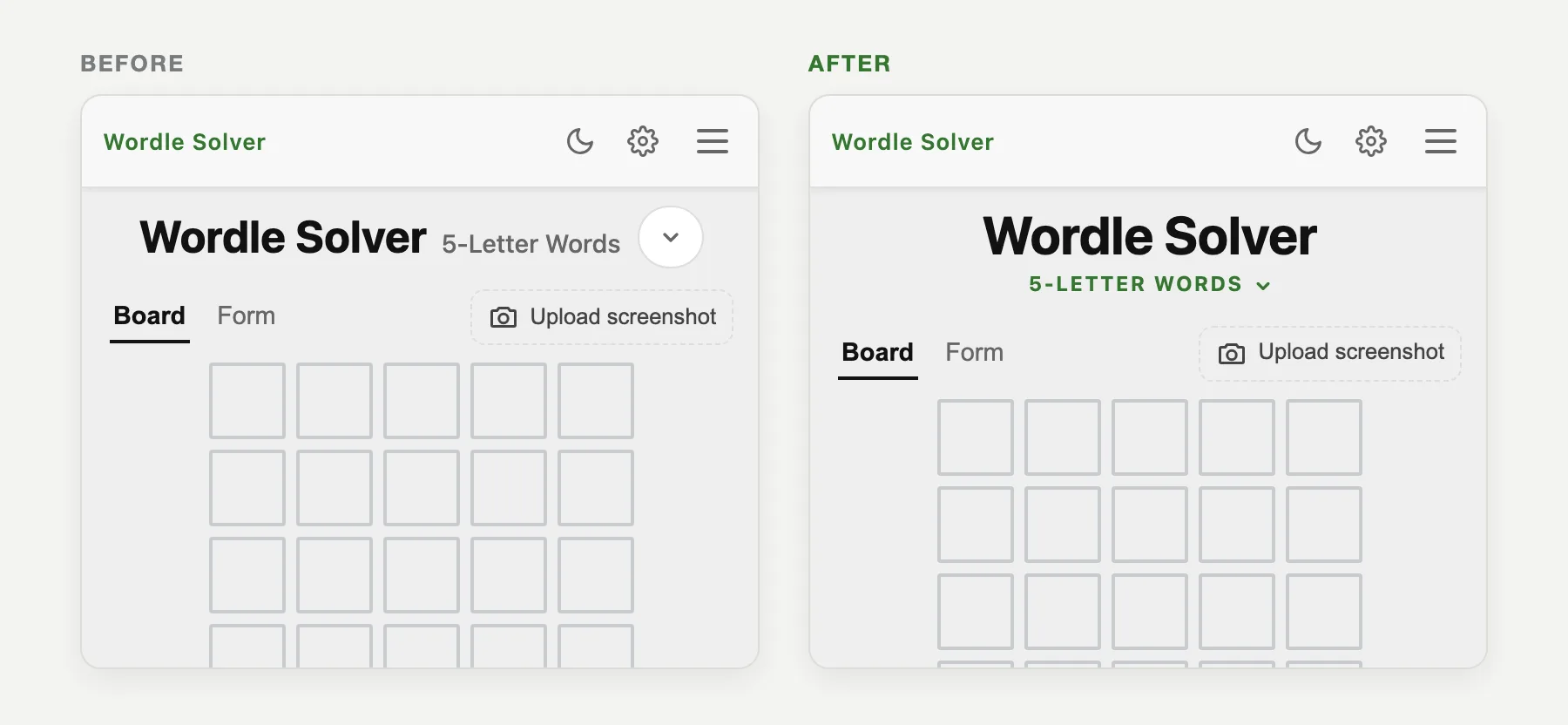
On a computer, the title used to be three separate pieces: the big title, a grey label and a button. Now it is one block, with the title on top and the length right under it.
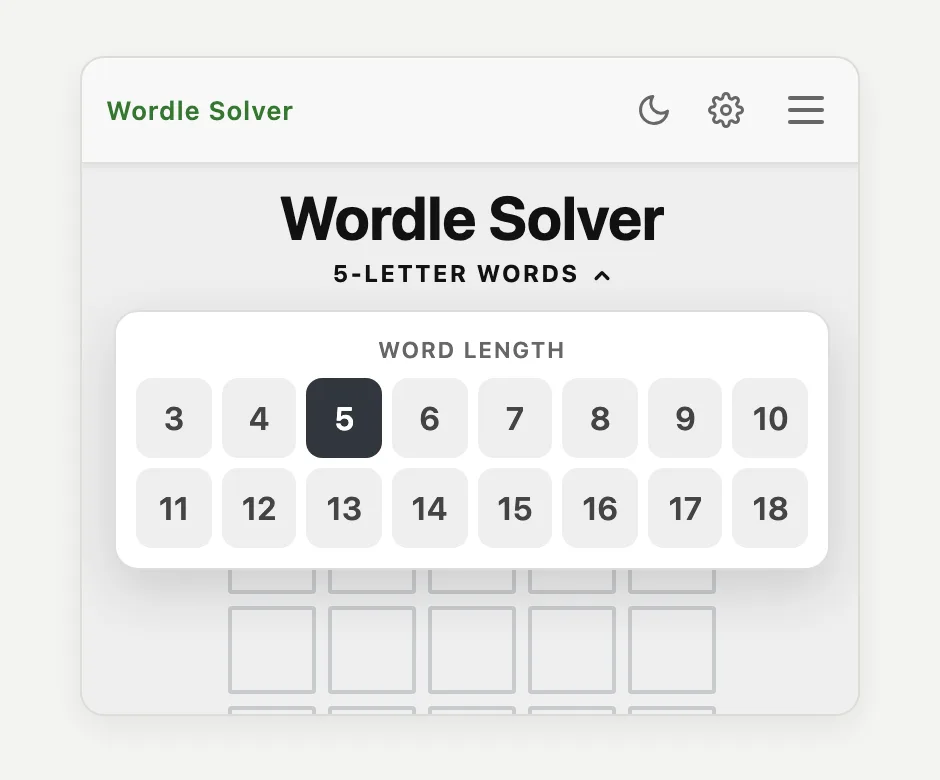
Switching lengths works the same way
The menu itself has not changed. It still lists every length from 3 to 18 letters, and the one you are on is highlighted.
If you play longer puzzles, the 6-letter solver, 7-letter solver and 8-letter solver all have the same layout.
Tablets now line up like phones
The second fix is for tablets and narrow browser windows. At those sizes, the title and the Solve button were centered, but the board was pushed to the left with the Add row and Remove row buttons next to it. Nothing was broken, but it looked untidy.
Now the page works as one centered column, the same as on a phone: title, board, row buttons, then Solve.
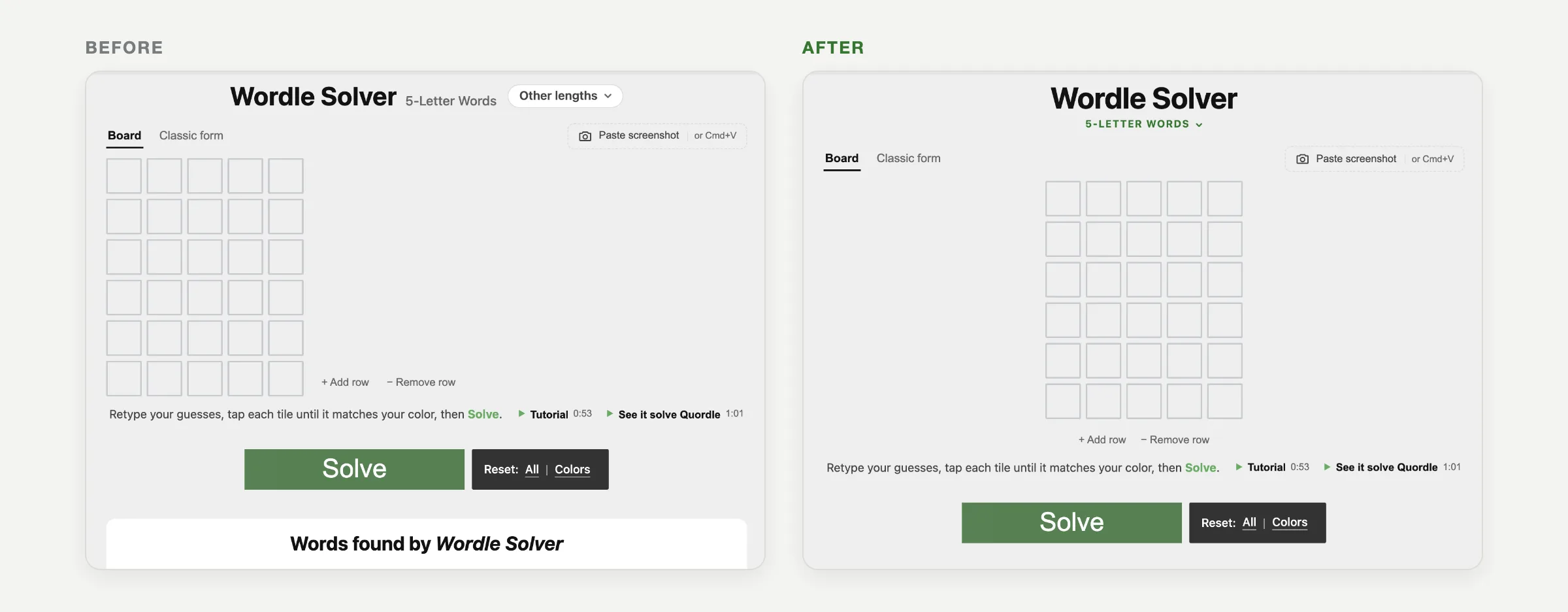
On a wide screen, the layout stays as it was, with the board on the left and the row buttons beside it.
Everything else is the same
Board mode, the classic form, screenshot pasting, the Solve button and your results all work exactly as before. Your saved board and settings are untouched.
Thank you, Arealme design team
These changes came from suggestions by the design team at Arealme. They looked at the top of the page and suggested how to make the layout simpler. Thank you for the help.
Frequently asked questions
How do I change the word length in the Wordle Solver?
Tap the green label under the title, such as 5-LETTER WORDS. A menu opens with every length from 3 to 18 letters. Pick one and that solver page loads.
Did the Wordle Solver change how it finds words?
No. This update only changes the layout at the top of the page. The word lists and the way results are found are the same as before.
If something looks off on your device, let us know in the comments below and include your screen size or device if you can. You can try the new layout now on the Wordle Solver.
Join the discussion
Spotted an error, or have a result of your own? We read every comment.